

Declutter Your Desk, Amplify Your Focus
A tidy workspace isn't just aesthetically pleasing; it's a powerful tool for enhancing concentration and productivity. Discover practical strategies to transform your desk into a sanctuary for deep work and clear thinking.
Imagine sitting down to work each day, not to a pile of distractions, but to a clear, inviting space that quietly nudges you towards your most important tasks. Our physical environment plays a profound role in our mental state and our capacity for focused work. A desk littered with papers, forgotten coffee cups, and miscellaneous gadgets isn't just an eyesore; it's a constant drain on your cognitive resources, subtly pulling your attention in multiple directions before you even begin.
For anyone striving to achieve ambitious goals, cultivate consistent habits, or simply find more clarity in their day, creating a clutter-free workspace is a foundational step. It's not about achieving a sterile, showroom look, but rather about intentional design – crafting an environment that actively supports your mental clarity and propels you forward, rather than holding you back. This article will guide you through practical, actionable steps to transform your workspace into a true catalyst for productivity and goal attainment.
The Hidden Cost of Visual Noise
Our brains are wired to process information constantly. Every item in your line of sight, every notification blinking on your screen, demands a fraction of your attention, even if you're not consciously aware of it. This constant processing creates what psychologists call 'visual noise' or 'cognitive load'. When your workspace is cluttered, your brain works harder just to filter out irrelevant stimuli, leaving less mental energy for the actual task at hand. It's like trying to have a deep conversation in a noisy coffee shop – you can do it, but it requires significantly more effort.

This mental taxation isn't just about distractions; it also impacts your ability to make decisions. Faced with a desk full of items, each demanding a choice (keep, discard, file, act), your decision-making reserves are depleted before you even tackle your work. This phenomenon, known as decision fatigue, can lead to procrastination, poor choices, and a general feeling of overwhelm. By minimizing visual clutter, you create a runway for your thoughts, allowing them to take flight without unnecessary turbulence.
Embrace the "One-Touch" Rule for Everything
One of the most effective strategies for preventing clutter from accumulating is the "one-touch" rule. The principle is simple: when an item enters your workspace – be it a physical document, an email, or a digital file – process it immediately. Instead of setting it aside "for later," make a quick decision about its fate.
- For Physical Items: When mail arrives, open it, deal with it (pay bill, file, shred), and put it away. Don't let it sit on your desk. When you finish using a pen, put it back in its holder. If you bring a coffee mug to your desk, wash it or place it in the dishwasher as soon as you're done.
- For Digital Items: When an email comes in, read it and then archive, respond, or add it to your to-do list. Don't leave it in your inbox indefinitely. When you download a file, save it to its designated folder immediately, rather than letting it linger on your desktop.
Initially, this might feel like an extra step, but over time, it becomes a powerful habit. It prevents small accumulations from snowballing into overwhelming messes and frees up mental space, as you're no longer carrying the mental burden of unprocessed items.
Designated Homes: Every Item Has Its Place
Clutter often arises not from a lack of desire for tidiness, but from a lack of a clear system. If an item doesn't have a designated home, it will inevitably end up wherever it lands. The solution is to assign a specific, logical place for every single item in your workspace. This might seem like an immense task at first, but approaching it systematically yields significant long-term benefits.
Start by categorizing the items you frequently use. Do you have a lot of pens? They need a pen holder. Important documents? A filing system. Charging cables? A cable organizer. Consider what you truly need within arm's reach for your daily tasks. Everything else should be stored away, out of sight but easily accessible when required.
Practical steps:
- Clear everything: Remove every item from your desk and surrounding area.
- Sort: Create piles for "Keep," "Discard/Recycle," "Relocate" (items that belong elsewhere), and "Archive" (items you need but don't use daily).
- Assign Homes: For every "Keep" item, decide its permanent storage location. This might mean investing in simple organizers like drawer dividers, vertical file holders, or a small storage box.
- Return with Purpose: Only put back items that genuinely belong in your immediate workspace and have a clear home.
Making this a regular practice, even a small daily habit, will reinforce the system and prevent future build-up.
Digital Decluttering: Beyond the Physical Desk
In our increasingly digital world, a clear physical desk is only half the battle. Our digital workspaces – desktops, downloads folders, email inboxes, and cloud storage – can become just as cluttered, if not more so, than our physical ones. Digital clutter creates its own form of cognitive load, making it harder to find files, manage projects, and maintain a sense of digital peace.

- Desktop Minimalism: Treat your computer desktop like your physical desk. Aim for as few icons as possible. Create clear folders for ongoing projects or temporary files, and move completed work to archive folders.
- Inbox Zero: This isn't about having zero emails, but about processing each email so your inbox only contains actionable items. Use folders, labels, and archiving features to manage your communication effectively.
- File Management: Implement a consistent naming convention and folder structure for your digital documents. Regularly review your downloads folder and move or delete files. Consider using cloud services for easy access and backup, but ensure those services are also organized.
- App & Tab Management: Close unnecessary applications and browser tabs. Each open tab is a potential distraction. Use bookmarking tools or read-it-later apps for articles you want to review.
Schedule a dedicated 15-minute slot each week for digital maintenance. This habit can dramatically improve your digital efficiency and reduce mental fatigue.
The Weekly Workspace Reset: A Habit for Sustained Clarity
Maintaining a clutter-free workspace isn't a one-time event; it's an ongoing practice. Just as you might conduct a weekly review for your goals and tasks, establishing a weekly workspace reset habit ensures that your environment consistently supports your focus. This ritual doesn't need to be extensive; even 10-15 minutes can make a significant difference.
At the end of your work week, or before you begin a new one, take a few moments to:
- Clear the Surface: Remove any items that have accumulated on your desk throughout the week. Put them back in their designated homes or discard them.
- Wipe Down: Give your desk a quick wipe. A clean surface feels refreshing and signals a fresh start.
- Organize Cables: Neaten up any rogue cables around your computer.
- Review Supplies: Check if you need to restock pens, paper, or other essentials.
- Tidy Digital: Perform a quick digital declutter: clear your desktop, empty your downloads, and process your email inbox.
This simple habit acts as a powerful anchor, preventing minor untidiness from escalating into overwhelming chaos and setting the stage for a productive week ahead.
Personalizing Your Productive Space
A clutter-free workspace doesn't mean a sterile one. The goal is to create an environment that inspires and supports your best work, not one that feels devoid of personality. Once you've established a foundation of order, you can thoughtfully personalize your space with items that enhance your focus and well-being.
Consider incorporating:
- Natural Elements: A small plant can improve air quality and add a touch of tranquility.
- Inspirational Items: A framed quote, a photo that brings you joy, or a small piece of art can provide positive anchors, as long as they don't become distractions.
- Optimal Lighting: Good lighting reduces eye strain and can boost mood. Natural light is ideal, but a well-positioned desk lamp is a great alternative.
- Ergonomic Comfort: A comfortable chair, proper monitor height, and a good keyboard/mouse setup are crucial for sustained work and prevent physical discomfort from becoming a distraction.
The key is intentionality. Every item in your workspace should serve a purpose – either functional or inspirational – and contribute to an atmosphere conducive to deep work and focused attention. Regularly assess your space: does everything here help me achieve my goals, or is it merely taking up space?
Your Next Step: Cultivate a Focused Environment
Transforming your workspace into a haven of focus is an ongoing journey, not a destination. It’s about building a series of small, consistent habits that support your larger goals. Start small: pick one area of your desk to declutter today, or commit to the one-touch rule for all new items that come in. Over time, these micro-changes will compound, leading to a profound shift in your productivity and mental clarity.
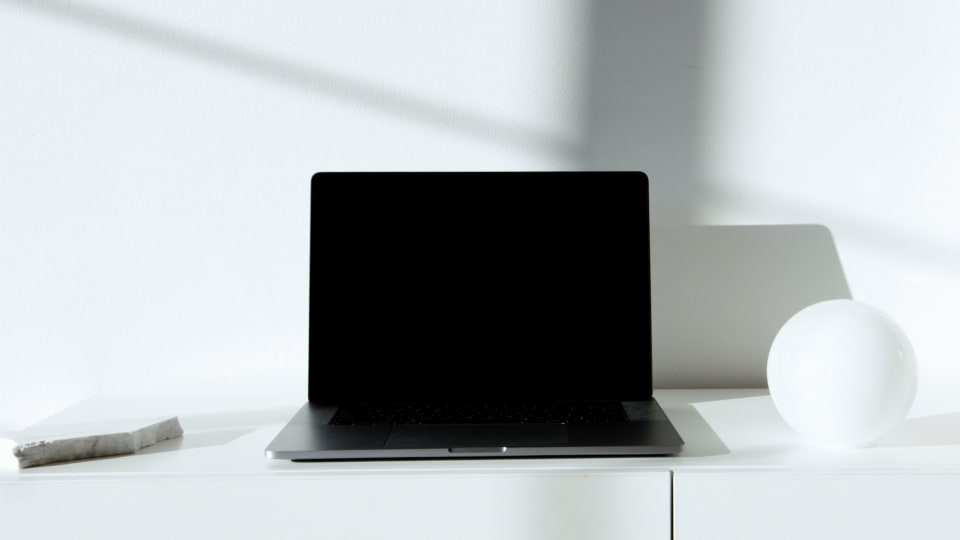
A clear workspace allows your mind to breathe, to think more clearly, and to channel its energy towards what truly matters. It reduces friction in your day and empowers you to approach your tasks with greater intention and less distraction. By consciously designing your environment, you're not just tidying up; you're actively investing in your ability to achieve your aspirations.
Ready to apply these strategies and align your physical space with your ambitious goals? Start your free Goals Journal account today and integrate these habits into your daily planning and tracking.
Turn ideas into daily progress
Goals Journal helps you plan your week, track habits, and reflect every day — so your goals stop living only in your head.
Start free today