

Clear Your Space, Clear Your Mind: Boost Productivity
Discover how a thoughtfully organized workspace can dramatically enhance your focus and productivity. Learn practical strategies to eliminate distractions and create an environment where your best work thrives.
The Unseen Drain of Disarray
Imagine sitting down to tackle an important project or plan your weekly goals, only to find your desk buried under a pile of papers, stray coffee mugs, and forgotten gadgets. Your eyes dart from item to item, each one a subtle whisper vying for your attention. This isn't just about aesthetics; a cluttered workspace, whether physical or digital, acts as a constant, low-level drain on your cognitive resources. It forces your brain to process extraneous information, making it harder to concentrate on the task at hand and diluting your capacity for deep work.
For those striving to hit ambitious goals or cultivate new habits, the environment we inhabit plays a crucial, often underestimated, role. A space designed for focus becomes an ally, gently guiding your attention rather than pulling it in a thousand directions. It reduces decision fatigue, signals to your brain that it's time to concentrate, and ultimately, helps you channel your energy towards meaningful progress.
Phase 1: The Physical Purge – Reclaiming Your Desk
Begin with a thorough, unapologetic clear-out of your immediate work area. This isn't just tidying; it's a strategic removal of anything that doesn't actively support your current work or well-being. Think of it as creating a blank canvas for your productivity.

- Empty Everything: Start by removing every single item from your desk surface and any accessible drawers. Place them into a temporary holding area, like a box or a separate table. Seeing the blank surface is surprisingly liberating.
- Sort and Categorize: Pick up each item and make a swift decision:
- Keep: Items essential for daily work (e.g., laptop, monitor, keyboard, mouse, a single pen).
- Archive: Papers or items needed for reference but not active use. These belong in a filing system, not on your desk.
- Relocate: Items that belong elsewhere in your home or office (e.g., personal items, books for leisure reading).
- Discard/Donate: Broken items, old notes, empty containers, anything you haven't used in months. Be ruthless.
- Clean Thoroughly: With your desk clear, give it a good wipe-down. A clean surface feels fresh and inviting.
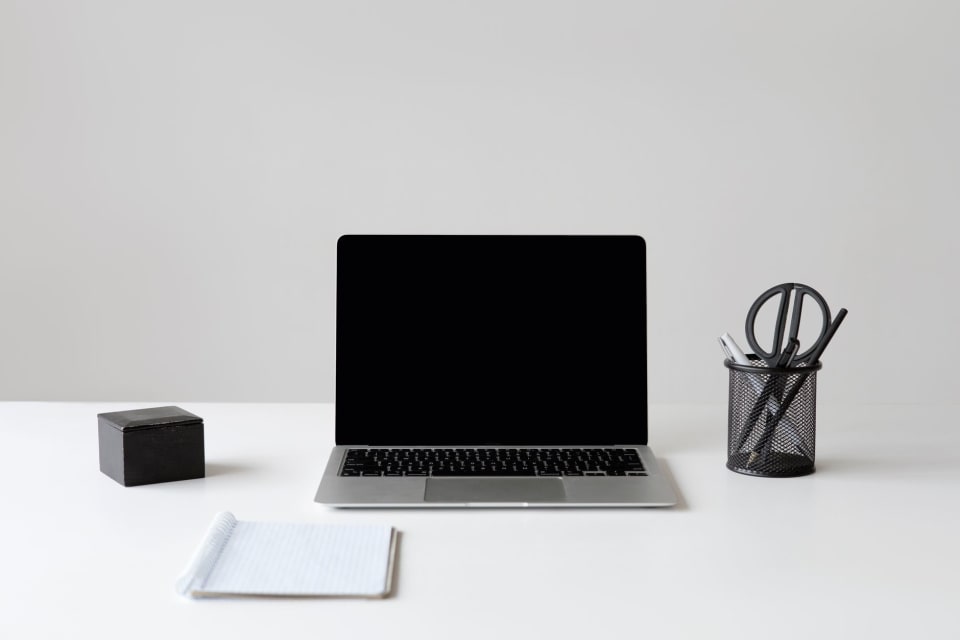
- Return Essentials Only: Carefully place back only those items you categorized as 'Keep'. Arrange them logically. For example, pens in a small holder, a notepad within easy reach. The goal is to have only what you need, where you need it.
Phase 2: Digital Declutter – Taming the Screen Chaos
Physical clutter's digital twin is often far more insidious. Swollen inboxes, endless browser tabs, and a desktop covered in icons can be just as distracting, if not more so, than a messy physical desk.
- Desktop Zen: Aim for a minimalist desktop. Move all files into designated folders. Consider using a single, calming background image. For a deeper dive into taming digital distractions, explore strategies for digital calm and focus.
- Email Inbox Zero (or Near Zero): Dedicate time to process your inbox. Delete junk, archive old messages, respond to urgent ones, and move actionable items to a task list. Implement a system for quick processing throughout the day.
- Browser Tab Management: Install a tab management extension to group or suspend unused tabs. Make it a habit to close tabs once a task is complete. Too many open tabs scatter your focus.
- Notification Control: Turn off non-essential notifications on your computer and phone. Allow only critical alerts to interrupt your work.
- File System Overhaul: Create a logical folder structure for your digital documents. Regular maintenance of your digital files can significantly reduce stress when searching for information.
Strategic Organization: A Place for Everything
Once you've purged, the next step is to establish systems that prevent clutter from accumulating again. This means giving every item a 'home'.

- Vertical Storage: Maximize vertical space with shelves, wall organizers, or multi-tiered trays. This keeps your desk clear while maintaining accessibility.
- Drawer Dividers: Use dividers in drawers to keep small items (pens, clips, sticky notes) sorted and contained. No more rummaging!
- Cable Management: Untangle and secure cables using ties, clips, or a cable management box. A chaotic mess of wires is a visual distraction and can accumulate dust.
- Designated In/Out Trays: For physical documents, have one tray for 'incoming' items to be processed and another for 'outgoing' items awaiting action (e.g., mailing, filing). This prevents piles from forming.
Cultivating Maintenance Habits: The Long-Term Play
A one-time decluttering is great, but lasting order comes from consistent habits. Integrate small, regular actions into your routine to keep your workspace pristine. These micro-habits are key to maintaining any organized space, much like the principles for maintaining a tidy home.
- The 5-Minute Daily Sweep: At the end of each workday, spend five minutes putting things back in their designated spots, tidying your desktop, and clearing any immediate clutter. This prevents accumulation.
- Weekly Review Integration: Make 'workspace reset' a component of your weekly review. As you plan your goals for the upcoming week, take a moment to ensure your physical and digital environments are ready to support those intentions.
- One-Touch Rule: When you pick something up, either use it and put it away immediately, or make a decision about it. Avoid setting things down 'just for a moment.'
- Regular Digital Check-ins: Schedule a short time each week to clear your downloads folder, delete unnecessary screenshots, and organize new files.
Personalize for Peak Performance
Beyond decluttering, intentionally design your workspace to inspire and support your unique work style. Your environment should be a source of calm energy, not distraction. Consider elements that positively impact your mood and focus.
- Lighting: Ensure you have ample natural light if possible. Supplement with good task lighting that reduces eye strain.
- Comfort and Ergonomics: Invest in a comfortable chair and ensure your monitor is at eye level. Physical comfort minimizes distraction and fatigue.
- Minimal Decor: A few carefully chosen items, such as a small plant, a meaningful photo, or an inspiring piece of art, can enhance your space without adding visual noise. Avoid excessive knick-knacks that pull your attention.
- Aromatherapy or Sound: If suitable for your environment, consider a subtle diffuser with essential oils like peppermint or lemon for focus, or use noise-canceling headphones for a quiet soundscape.
Your Next Step: Design Your Focus Haven
Creating a truly clutter-free workspace that supports unwavering focus isn't a one-time event; it's an ongoing practice of intentionality and habit. By systematically addressing both physical and digital disarray, you create a powerful sanctuary where your best work can unfold. This dedicated space becomes a consistent cue for concentration, allowing you to approach your goals with clarity and achieve more with less effort. Take the first step today to transform your environment and, in turn, your productivity. Ready to align your newly optimized workspace with your biggest aspirations? Start your free Goals Journal account and begin tracking your progress with a clear mind and a clear desk.
Turn ideas into daily progress
Goals Journal helps you plan your week, track habits, and reflect every day — so your goals stop living only in your head.
Start free today